> For the complete documentation index, see [llms.txt](https://help.vbee.vn/llms.txt). Markdown versions of documentation pages are available by appending `.md` to page URLs; this page is available as [Markdown](https://help.vbee.vn/huong-dan-su-dung/du-an/du-an-thuong/tao-audio.md).
# Tạo audio
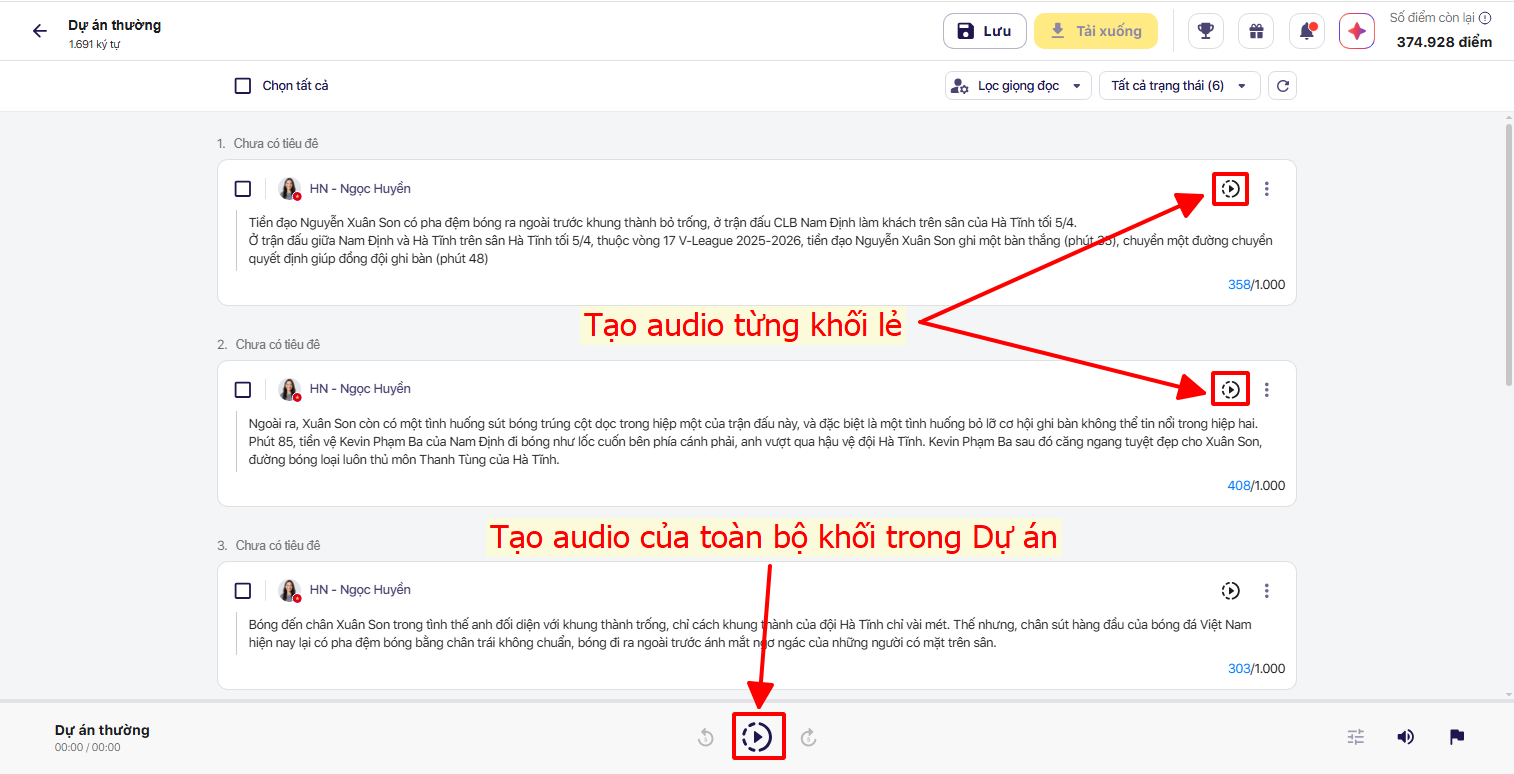
Sau khi biên tập Dự án xong, khách hàng có thể lựa chọn chuyển đổi riêng từng khối văn bản hoặc chuyển đổi tất cả khối văn bản bằng cách bấm vào biều tượng 
Trường hợp chuyển đổi thành công, hệ thống sẽ hiển thị nút Nghe audio, khách hàng có thể nghe riêng audio của từng khối hoặc nghe toàn bộ audio của Dự án
Trường hợp **Chuyển đổi thất bại** hệ thống sẽ hiển thị biểu tượng **Cảnh báo**  cạnh khối văn bản chưa chuyển đổi thành công. Bấm chuyển đổi để tiếp tục xử lý Khối văn bản.