> For the complete documentation index, see [llms.txt](https://help.vbee.vn/llms.txt). Markdown versions of documentation pages are available by appending `.md` to page URLs; this page is available as [Markdown](https://help.vbee.vn/huong-dan-su-dung/nhan-ban-giong-voice-cloning/nhan-ban-giong-chuyen-nghiep/ghi-am/dang-nhap-tu-dong-tren-mobile-app.md).
# Đăng nhập tự động trên Mobile App
Để thu âm nhân bản giọng nói, khách hàng cần thu âm trên Moblie App ( Vbee AI Voice - Text To Speech). Sau đây là hướng dẫn để đăng nhập tự động tiện lợi hơn khi sử dụng.
Tính năng nhân bản giọng nói Chuyên nghiệp áp dụng cho các tài khoản sử dụng gói STUDIO Đặc biệt - Năm, VIP - Năm và gói VIP+, khách hàng sử dụng gói cước này có thể truy cập và tiến hành nhân bản giọng nói.
**Bước 1:** Tại giao diện website vbee.vn, chọn mục **Nhân bản giọng**
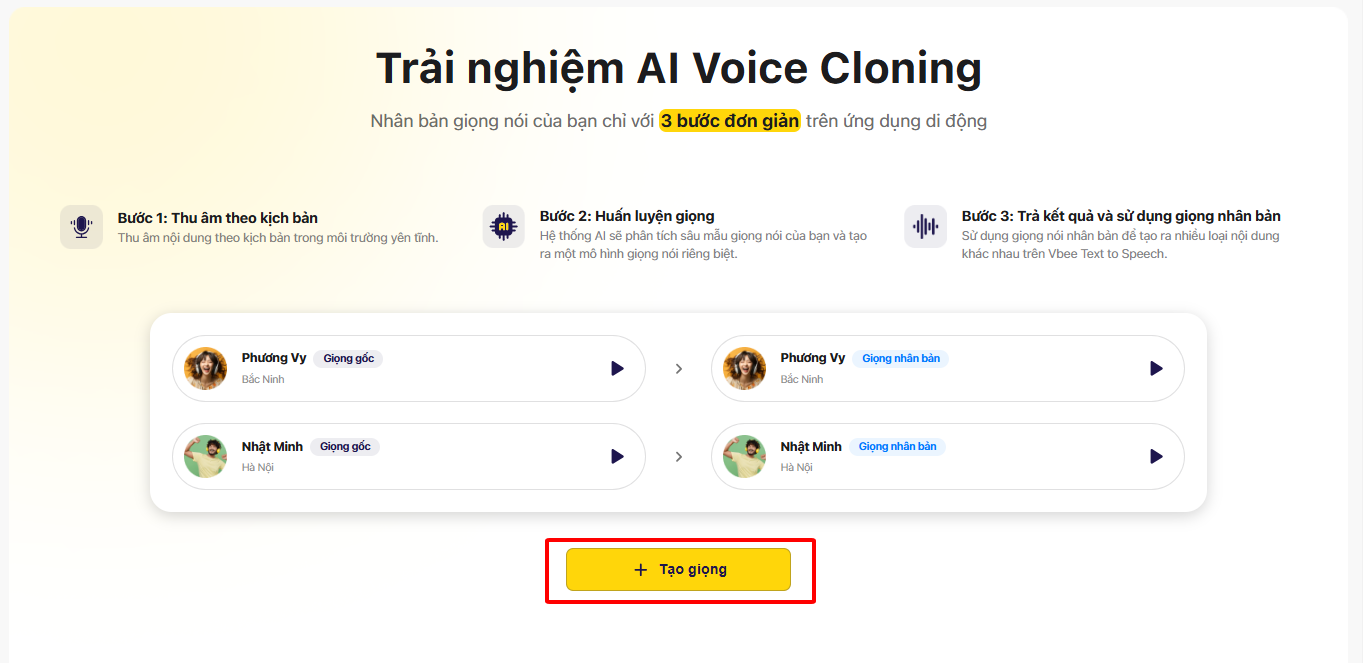
**Bước 2:** Ở giao diện hiển thị chọn vào **Tạo giọng**
**Bước 3:** Tại giao diện chọn phương thức nhân bản giọng phù hợp, chọn nhân bản giọng **Chuyên nghiệp**
\
\
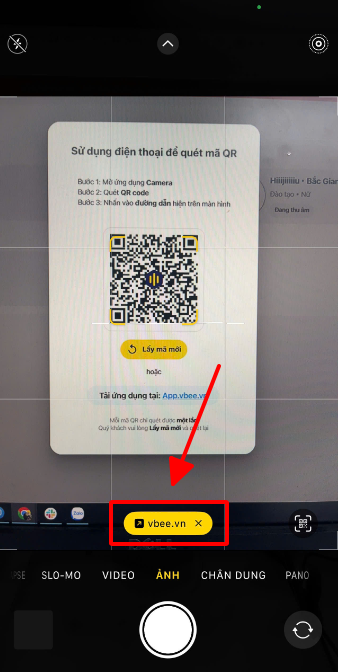
**Bước 4:** Sau đó hệ thống sẽ hiển thị mã QR code, sử dụng Camera trên điện thoại quét mã QR (sau khi tải Mobile App)
Bấm vào đường link được hiển thị trên màn hình điện thoại để đăng nhập tự động.
Sau đó quá trình đăng nhập hoàn tất, khách hàng có thể tiến hành thu âm để nhân bản giọng nói.